
For the work your assistant cannot finish
Hand it the work.
It does it in your real apps.
Chase the overdue invoices. Clear the support backlog. Work the refund queue. Your assistant can already plan all three; atmon is what lets it go and do them in your accounts, only inside the limits you set, and it writes down everything it did.
What you can hand it
Six things a team would hand over tomorrow
In your words, against apps you already pay for. Every one of these runs on actions atmon carries today.
Stripe · Gmail
Chase the overdue invoices
It finds every unpaid invoice in Stripe, drafts the reminder in Gmail against that customer’s own history, and waits for your yes before a single mail sends.
Zendesk · Notion
Clear the support backlog
It reads the open tickets, finds the answer in your help centre and your Notion pages, and leaves a drafted reply on each one for a person to send.
HubSpot · Slack
Keep the pipeline honest
It walks every deal that has not moved in three weeks, writes down what actually happened, and hands the owner a short list in Slack of the ones needing a call.

Google Drive · Linear
Tell me which renewals to renegotiate
It pulls the contracts out of Drive, reads each one against the terms you care about, and opens a Linear issue for every renewal worth a conversation.
Shopify
Work the refund queue
It matches each request to its order, refunds the ones inside the policy you wrote, and parks anything above your ceiling for a person to decide.
Google Calendar · Slack · Asana
Get the new hire running on day one
It books the first week’s meetings, adds them to the right channels, and opens their onboarding tasks before they have logged in for the first time.
Nothing on this list is a demonstration we built for the page. Each one is put together from actions atmon already carries, and a test on this site fails if a card here names one it does not.
One of them, end to end
The invoices, from the ask to the record

“Chase everyone who has not paid since June.”
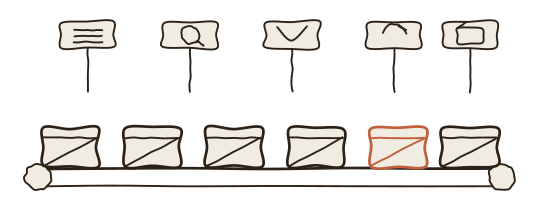
- The ask One sentence, typed into the assistant your team already uses. You do not pick the app and you do not name the action.
- The plan It comes back before anything runs: the unpaid invoices it found, a draft for each one, what the whole run will cost, and nothing sent yet.
- The work It looks each customer up, writes each reminder against that customer’s own history, and keeps to the pace the provider allows. Nobody watches it.
- The stop The invoices over the amount you said needs a person are parked for you. The rest of the run carries on instead of halting on the first one it is unsure about.
- The record Every draft, every skip and every parked row with its reason, on one page you read in a minute.
You spent two minutes at the start and two at the end. Everything between was work that used to be somebody’s morning.
Why you can let go of it
What you keep when the work leaves your hands
It never sees your password
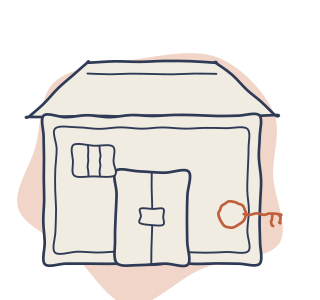
You connect each account once, the way you connect any app. The password goes into a locked store, and your assistant gets a claim ticket instead: enough to act as you in that app, never enough to walk off with it.

Your limits are checked first
Spend no more than this. Never send outside the company. Your rules are checked before the key comes out of the store, so a refusal opens nothing, sends nothing and costs nothing.
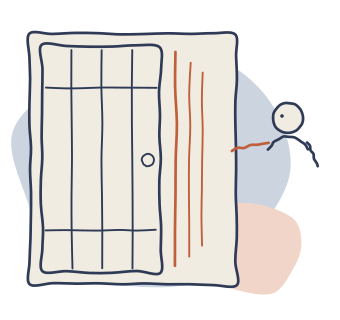
It stops and asks a person
You decide what needs a human yes: money above a line, anything that reaches a customer. Whoever asked for the work cannot be the one who approves it, which is what makes the approval worth having.
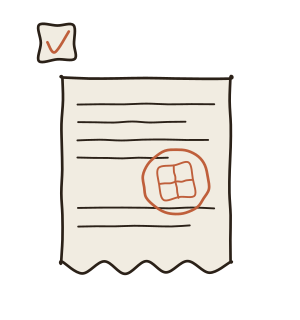
You get the record, not a summary
Every action is written down as it happens, and nothing here is allowed to do the work and skip the write. Partial work says it is partial instead of reading as finished.
The longer answers, including the ones a security reviewer will ask for, are on the safety page.
The apps it works in
Your apps, not a list of ours
These are the apps atmon can act in today. Connecting one is a consent screen, the same as connecting any app to your calendar, and you connect only the ones you want it near.
- Adyen
- Airtable
- Algolia
- Amplitude
- Asana
- Box
- Calendly
- ClickUp
- Confluence
- Discord
- DocuSign
- Dropbox
- Dropbox Sign
- Figma
- Freshdesk
- Front
- GitHub
- GitLab
- Gmail
- Google Calendar
- Google Docs
- Google Drive
- Google Maps
- Google Sheets
- HubSpot
- Intercom
- Jira
- Linear
- Mailchimp
- Mailgun
- Microsoft Outlook
- Microsoft Teams
- monday.com
- Notion
- OpenAI
- Ory Hydra
- Ory Identities
- PagerDuty
- PayPal
- Pipedrive
- Plaid
- Qdrant
- QuickBooks
- Salesforce
- Segment
- SendGrid
- Shopify
- Slack
- Spotify
- Square
- Stripe
- Telegram
- Todoist
- Trello
- Twilio
- Typeform
- Typesense
- Webflow
- Xero
- YouTube
- Zendesk
- Zoom
The wall above is written from the same list the product runs on, so it cannot promise an app that is not there. Your own internal systems can be added as private ones nobody else sees.
Questions people actually ask
The four that come up first
Why can my assistant not already do this?
It can write the plan and it can write the email. What it cannot do is open your accounts, so the work moves from thinking to typing and lands back on you. That gap is the whole reason this exists.
Is this too technical for me?
Setting it up is one page. You sign up, mint your own key, paste one block of configuration into the assistant you already use, and connect the first app. After that you ask for things the way you ask for them now.
What if it does something I did not intend?
You can rehearse any request first and read what it would do without it doing any of it. When it does run, anything you marked as needing a person waits for that person, and the record shows what happened action by action.
How do I take the access away?
You disconnect the account, the way you would remove an app from your Google or Slack settings. The ticket your assistant holds stops working at once, and the work already recorded stays where you can read it.
The longer versions of all four are on the safety page, and the setup is on the setup page.
Where this stands
Beta, said plainly
atmon is in beta. Three things follow from that, and all three are here rather than in the small print.
- Live connections are beginning GitHub is the first app you can join a real account to. Every other app on the wall above still runs against stand-in services rather than against your Gmail.
- Designed is said as designed Some of what it will do is finished and some is drawn but not made. We say which is which, in those words, rather than leaving you to find out.
- Nothing to point a reviewer at There is no outside security review and no certificate today. The safety page says what we claim, how each part is held, and what we are not claiming.
Where this stands, in full. The prices are published, card payment arrives during the beta, and beta usage is not charged until it does.